Quantities and Unit Costs
The Quantities and Unit Costs window allows an alternate way to enter capital costs for Construction Years. Once these are entered, if any costs or units are not zero, all capital costs in Construction Year are taken from this window.
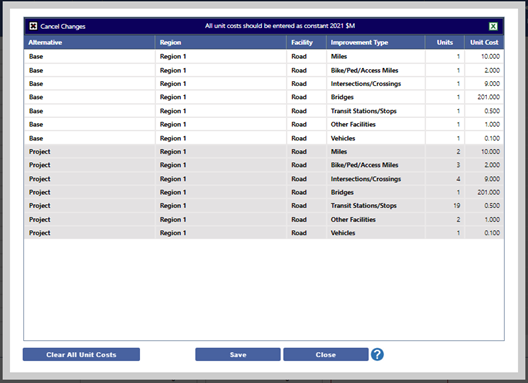
Once entered, total costs are distributed to appropriate categories across all construction years, and on the primary Costs page, the appropriate cells are greyed out (indicating they can't be manually edited) and a notice at the top left indicates that Quantities and Unit Costs are being used for Construction capital costs.
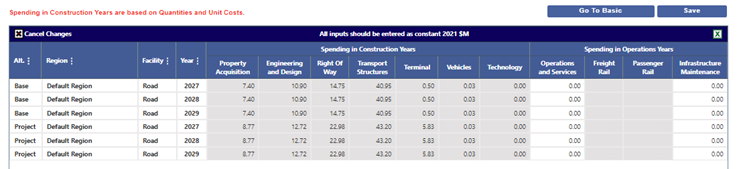
You can revert to manual entry by returning to the Quantities and Unit Costs window and clicking the Clear All Unit Costs button.