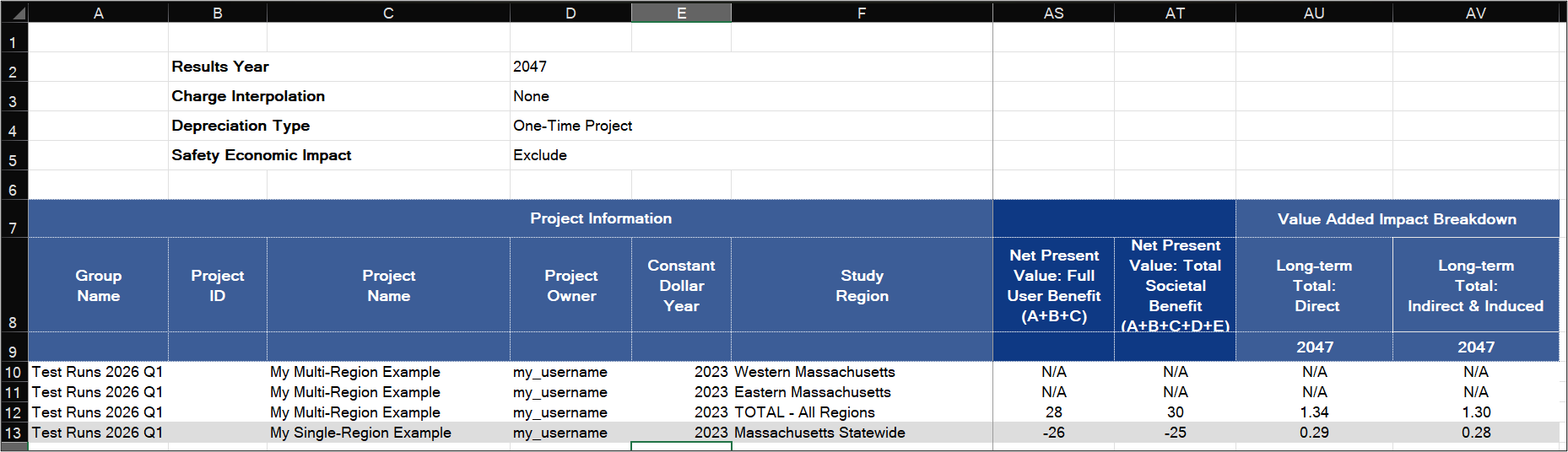
Multi Run & Summary Results
Some workflows, such as prioritization processes, require comparison of a substantial number of projects at the same time, often those sharing the same Construction and Operations periods. These could be imported in a single import, and, similarly, may be run and reported on in a single exported Excel workbook in a few clicks by using the Multi-Run & Summary Results functionality.
Accessing Multi-Run & Summary Results
From the Project page, click on the Group Options button at the bottom to reach the Group Options window. Select projects to run and export, keeping in mind they need to share at least Operations periods to be run through the Multi-Run & Summary Results function. Click the Multi-Run & Summary Results button to access the function.
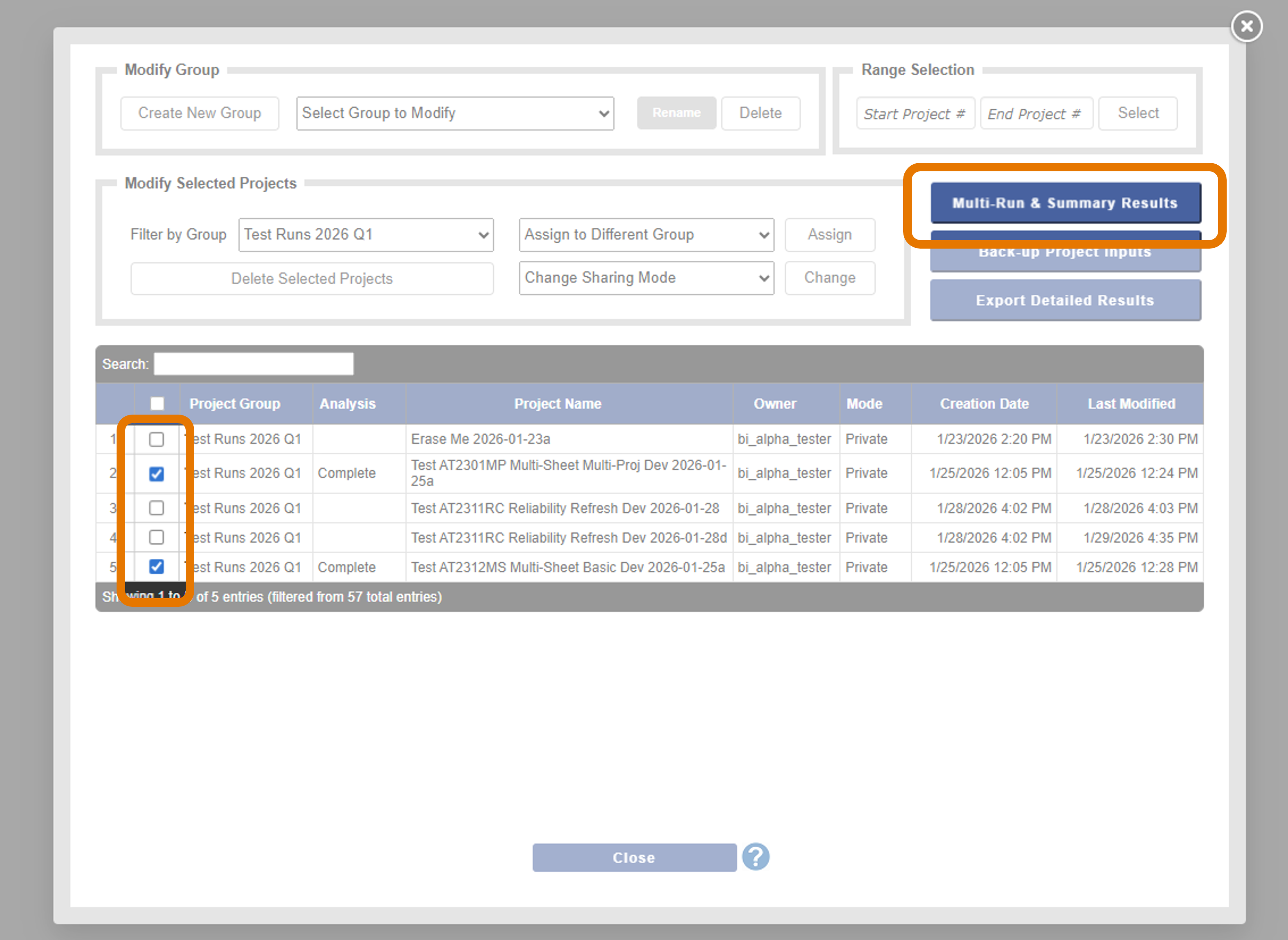
Using the Window
The window that appears is used to control the running settings that will be used on all the projects being run and reported on.
In the top section, several options mirror those available in the regular Results Settings page. These include the following:
- Charge Interpolation
- Depreciation Type
- Safety Economic Impact
- Interpolation Method
- B/C Perspective
- Discount Rates
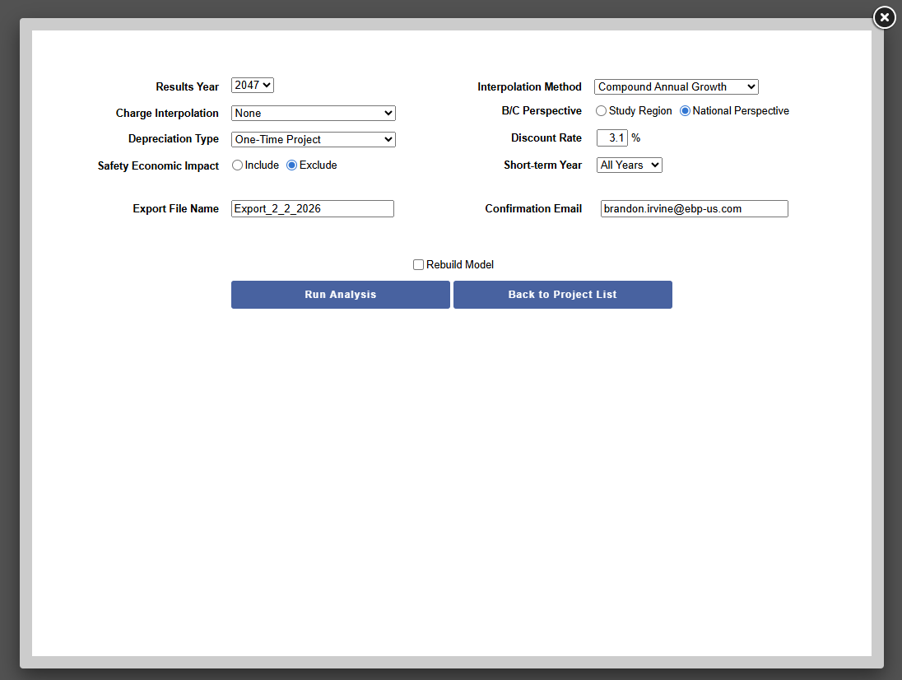
Additionally, there are controls that are options that are specific to Multi-Run:
- Results Year. The year for which Long-Term Impacts are reported in the resulting output.
- Short-term Year. The years and type of reporting for which Short-Term Impacts are reported.
- Export File Name. Name of the file (with .xlsx appended) that will be produced.
- Confirmation Email. E-mail where the file will be sent. Not required.
- Rebuild Model. Rebuild the economic model. This is not commonly used and unlikely to be necessary unless you have been advised by TREDIS to use it.
When you have made your selections, click Run Analysis to launch the process and a status bar. For multiple projects, this process may take time.
When completed, a button for a direct download will appear if you do not wish to access via e-mail. Click Back to Project List to return to TREDIS.
Overview of Report
The resulting Excel file has three sheets.
- Read Me orients the user to the purpose of the workbook and includes version information.
- Summary Results Columns is the primary documentation for the report. Consult this for the most detailed explanation of results reported.
- Summary Results is the primary report.