Tabs on the Travel Page
The tabs running across the band navigate between sections for entering data.
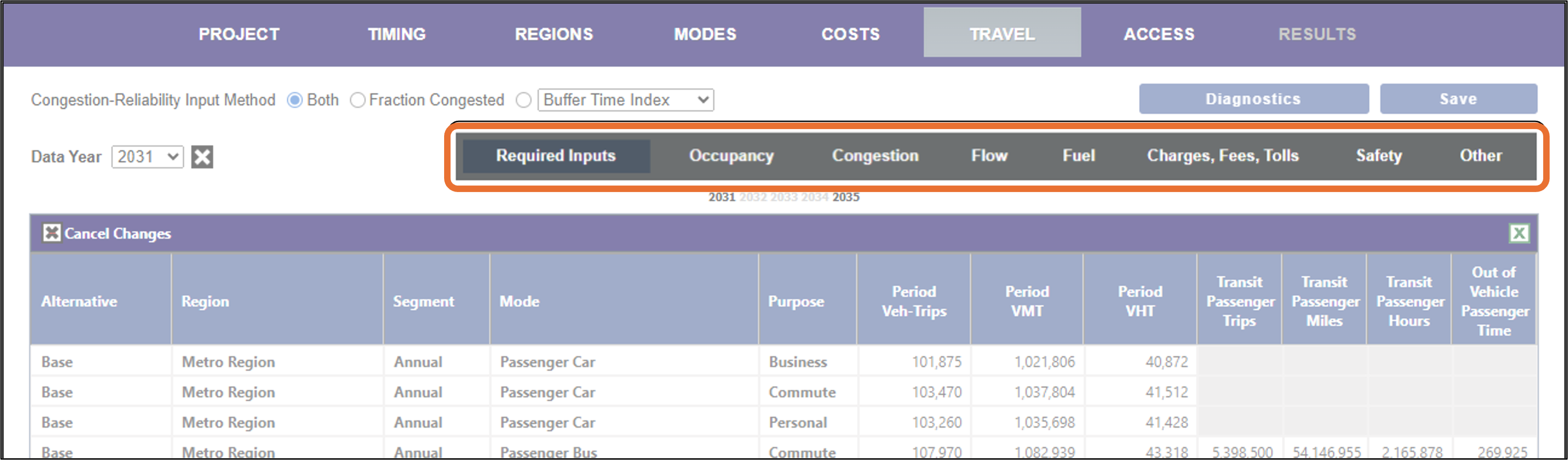
Click on any of the grey tab names below to jump to the appropriate section. The Congestion-Reliability Input Method controls in the upper left of the figure above are used in conjunction with the Congestion tab – see that section for details.
- Required Inputs. Enter the number of vehicle trips, vehicle miles traveled, and vehicle hours traveled; enter the same metrics for passengers for modes where this is available.
- Occupancy. View or change the number of passengers, crew, and freight tons per vehicle.
- Congestion. Adjust the trip congestion parameters.
- Flow. Specify the fraction of trips within, incoming, outgoing or through the region.
- Fuel. View or change fuel costs and fuel efficiencies.
- Charges, Fees, Tolls. View or change fees and toll charges per vehicle or passenger.
- Safety. View or change crash rates and adjustments.
- Other. View or change other rates relevant to travel.