2024-12 User Preferences Import/Export
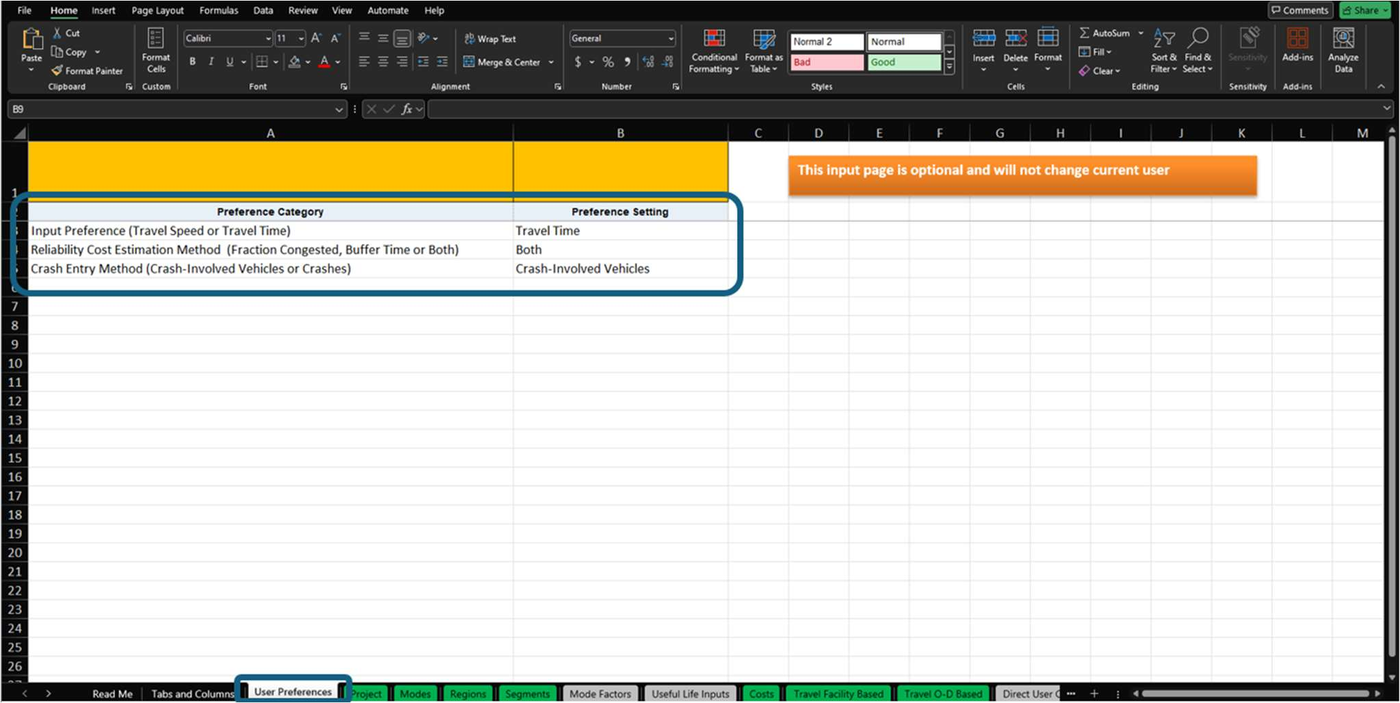
The Import Spreadsheet has a new tab, User Preferences, that records the state of the User Preferences that are expected to be used with the TREDIS projects defined in the Import Spreadsheet. The tab will now appear on all project back-ups, as in Figure 1, which highlights the User Preference settings and the tab they appear on with blue boxes.
This new capability will help ensure that projects import into the Travel page the way you expect them to. Safety, reliability, and congestion costs depend on these settings.
Figure 1. The User Preferences Tab on the Import Spreadsheet
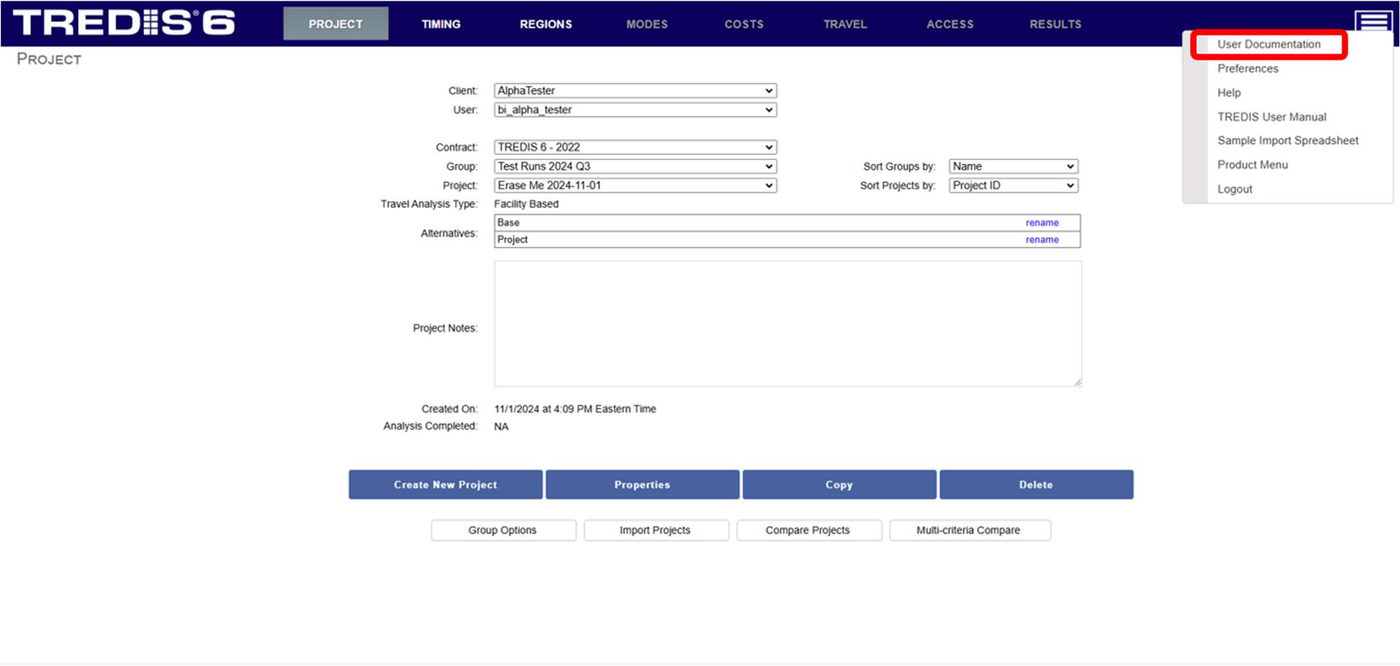
When importing, TREDIS will check the User Preferences as defined in the Import Spreadsheet against the User Preferences in effect. (These can always be changed by going to the "hamburger" menu at the top right of a TREDIS page and selecting User Preferences, as highlighted with a red box in Figure 2.)
Figure 2. Selecting User Preferences from Navigation Menu
If the User Preferences don't match, you will be warned and given the option to stop the import or continue.
If the import spreadsheet is missing this tab, this check won't occur, so that previous versions of the Import Spreadsheet can still be used with the same functionality.