2026-02 Reset Emissions Costs
In late January 2026, TREDIS discovered the default emissions costs schedule for Data Year 2023 release gave lower costs for each metric ton of VOC, NOx, SO2 and PM 2.5 than was intended or documented.
TREDIS took two actions in response. We immediately corrected the defaults, and with this feature release add an option within TREDIS to correct the rates easily for projects you may wish to re-run.
This new reset feature also makes it lower risk to apply locally calibrated values for emissions costs. TREDIS plans to offer new features using local public health data later in 2026 that take advantage of this capability.
New Projects
The defaults were updated to align with the values for Data Year 2023 emissions costs published in the 2023 Default Values and Data Sources document. Any new project created using a 2023 contract after January 20, 2026, the correct cost schedule for all pollutants will automatically be used.
Existing Projects
For projects created in 2023 contracts before January 20, 2026, existing emissions cost schedules stored at the project level give costs that are lower than the TREDIS team's intended defaults. These values are stored at the project-level so that they can be adjusted to match federal, state, or local values or guidance that may differ from the defaults. This means practically that projects may need to be adjusted and rerun if they used the values of the defaults prior to January 20. This can be done quickly using the new Reset to Default feature.
Resetting the Emissions Value Schedule and Rerunning Results
If you have a project that you suspect has emissions costs that differ from the defaults – including projects that have copies of the prior incorrect defaults – you can confirm that they do not match the TREDIS defaults by viewing them.
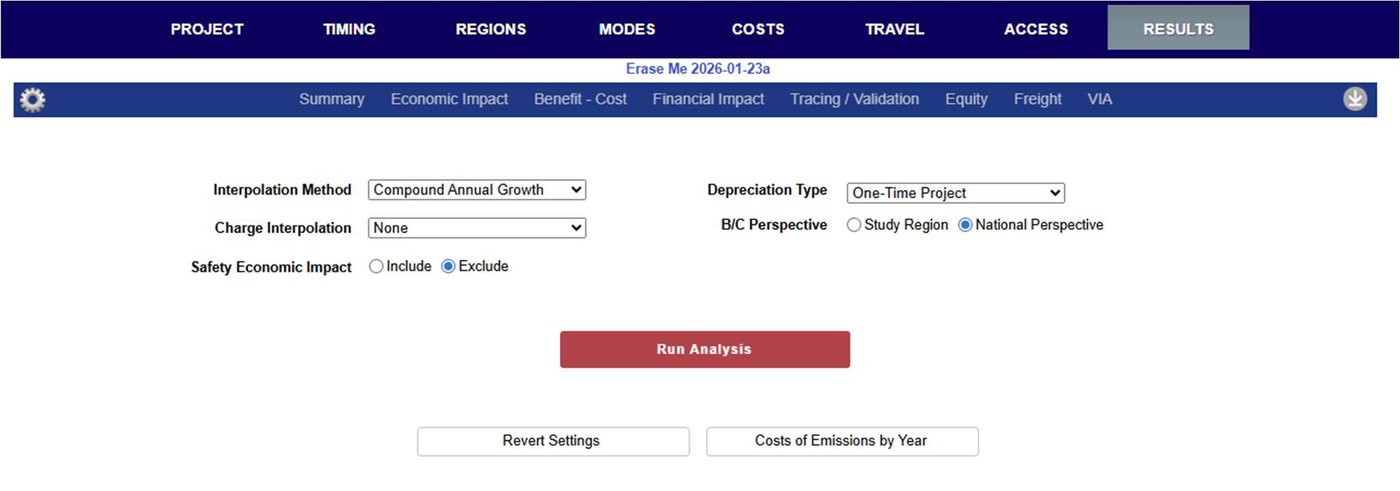
Go to the Results page in TREDIS for the project. If the project is already run, select the Gear icon on the far left to revisit Results Settings. (If it's not already run, you'll arrive on the Results Settings page directly.)
If you click on the Cost of Emissions by Year button, the schedule used for costing emissions by year will appear, as in Figure 1.
Figure 1. The Emissions Value Pop-up
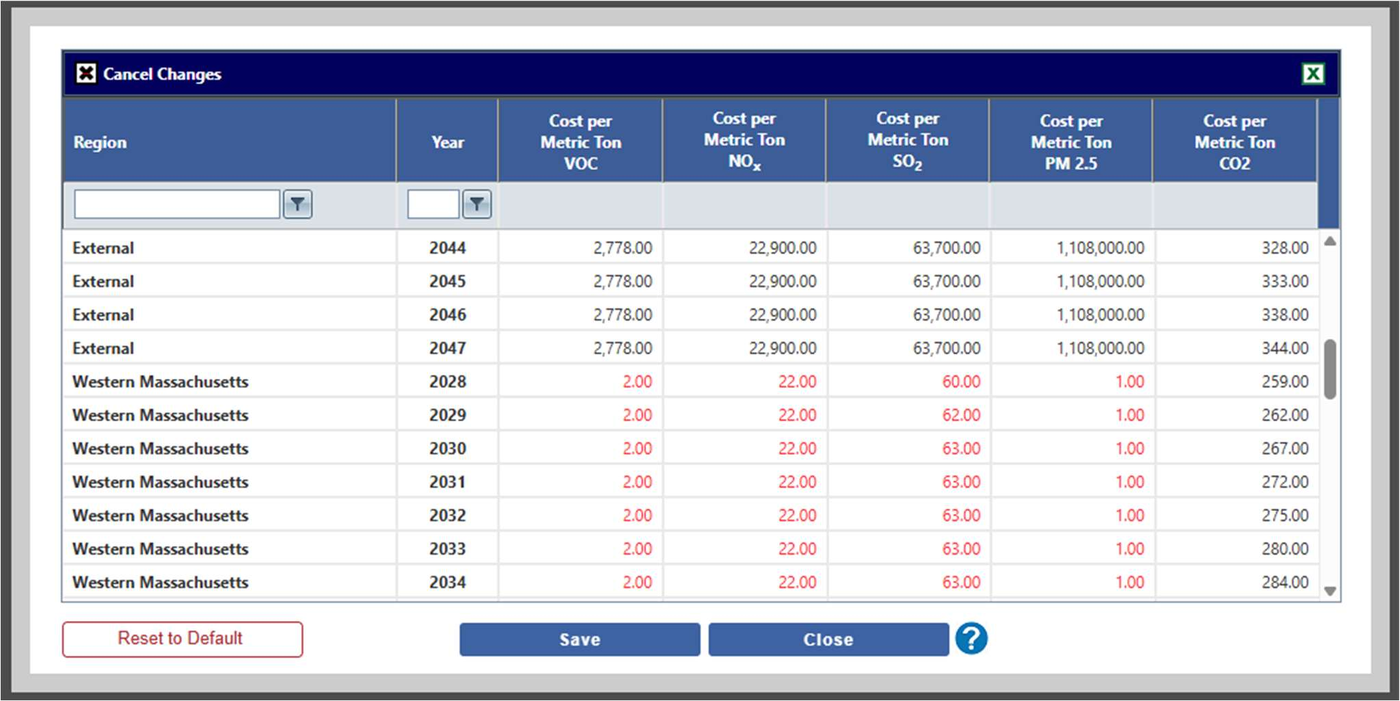
In this example, the red numbers indicate that the numbers don't align with the TREDIS defaults. This doesn't mean they are incorrect, only that they are not the defaults. If you've chosen different rates for your analysis, you can leave them as-is without issue. If they should reflect the defaults, reset them to defaults by clicking Reset to Default on the bottom left.
Click Close to shut the Cost of Emissions window. Because the values have changed, TREDIS will require you to re-run the analysis – indicated by the fact the Run Analysis button is now red (and reports are not accessible), as in Figure 2.
Figure 2. Run Analysis Button