2026-02 Summary Results Enhancement
The reports that result from the Multi-Run & Summary Results feature (previously called "Multi-Run and Export") now include additional fields that breakdown economic impacts by type. The Summary Results reports have been updated to include documentation within the Excel file.
TREDIS has long supported running multiple analyses and exporting the results in a single file. This release refreshes the interface and extends the reporting on results.
Accessing Multi-Run & Summary Results
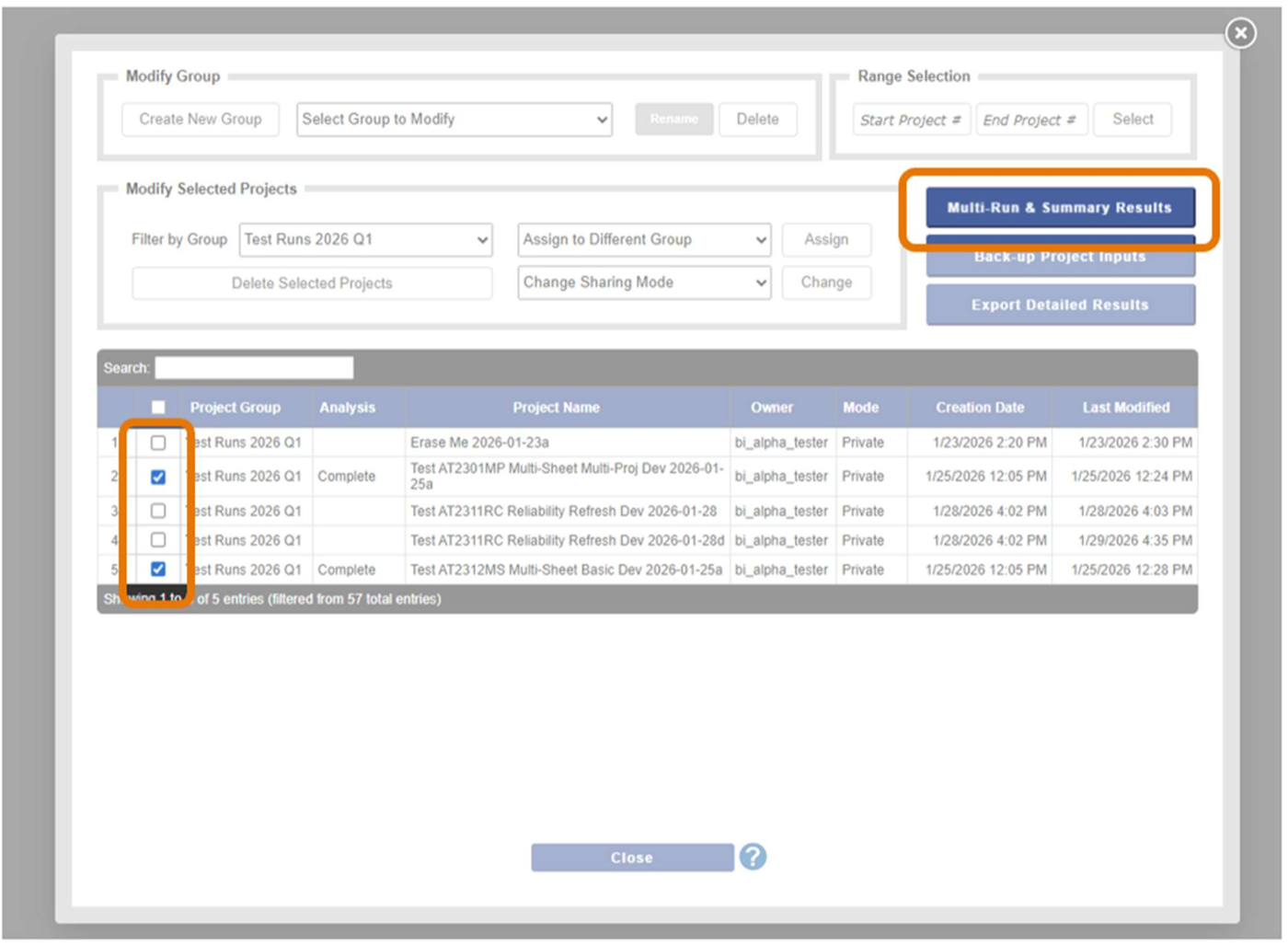
From the Project page, click on the Group Options button at the bottom to access the Group Options window. The Multi-Run & Summary Results button will now access the window to run multiple analyses and export results. See highlights in Figure 1.
As before, first select projects to run and export. After selecting projects, click the Multi-Run & Summary Results button to launch the next window.
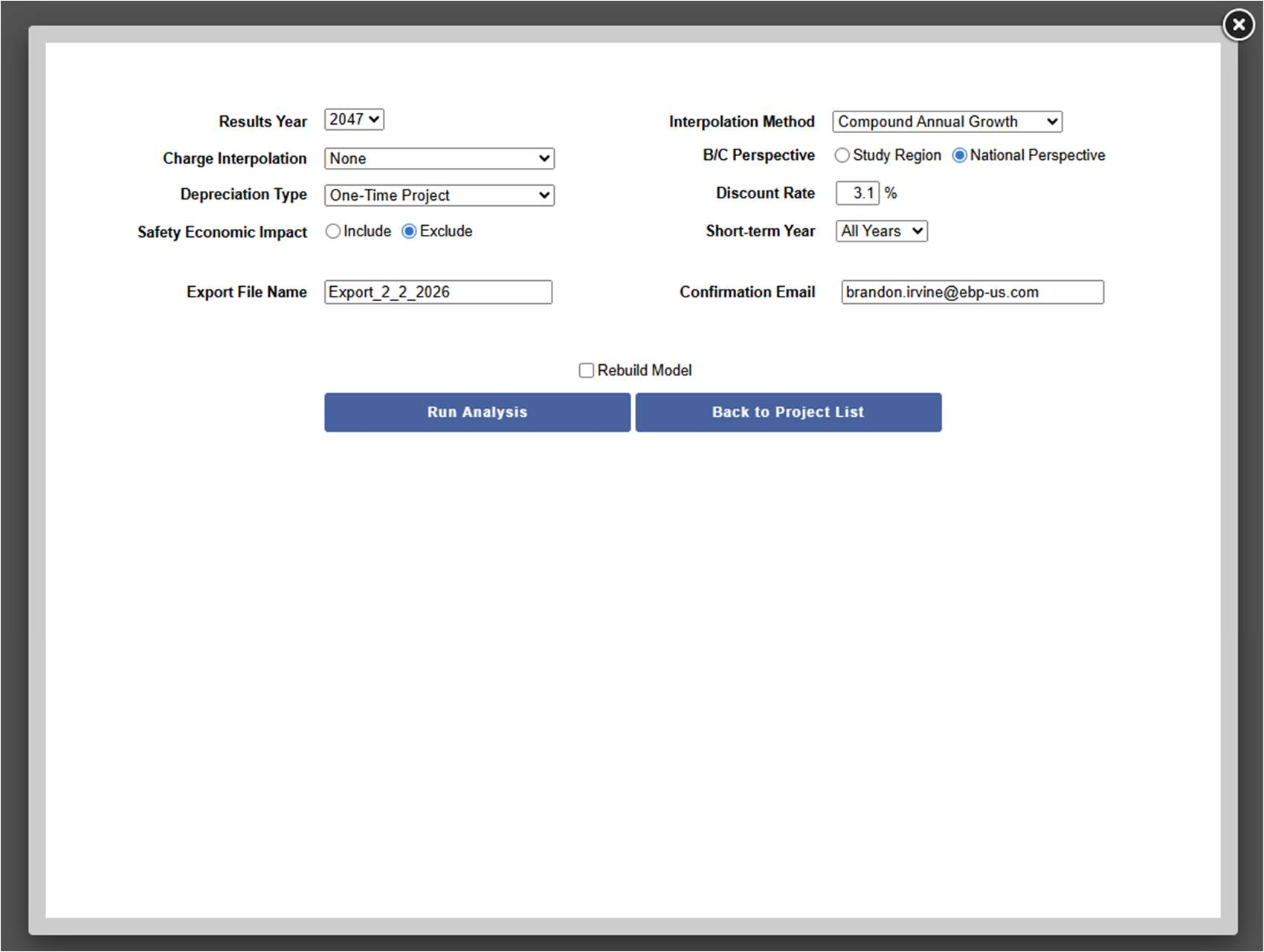
The Multi-Run & Summary Results window will open, as shown in Figure 2. This interface works substantively the same as before, under its previous labeling, though note that it now offers the option to include Safety Economic Impacts.
Added Documentation
Once run, the resulting Excel file has three sheets, including two new documentation sheets: Read Me and Summary Results Columns.
- Read Me orients the user to the purpose of the workbook and includes version information.
- Summary Results Columns is an inventory of the columns reported on Summary Results.
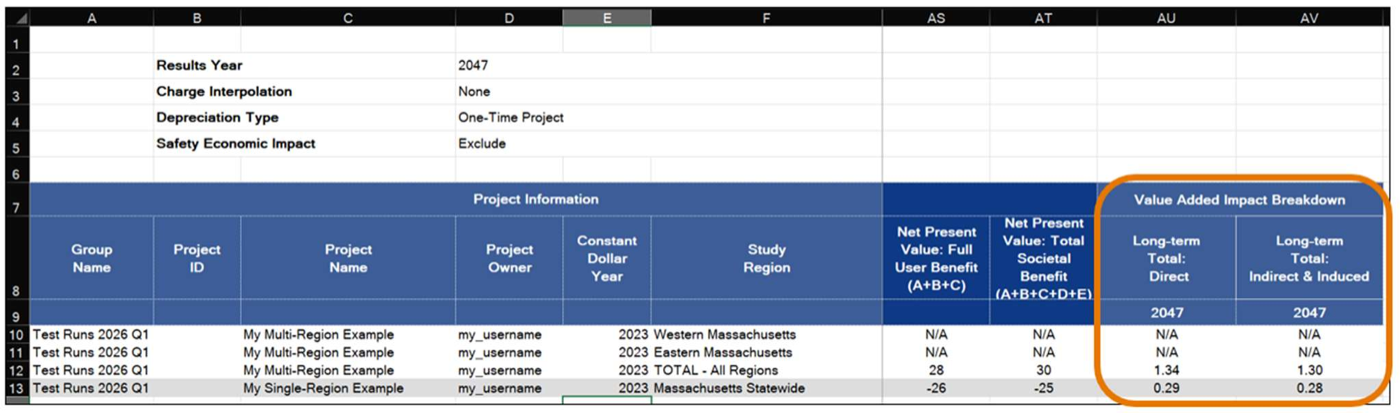
The primary reporting sheet is now named Summary Results and has two new fields appearing at the far right of the matrix of results, as shown in Figure 3.
Enhanced Reporting
The new data fields appear under the heading Value Added Impact Breakdown, as Long-term Total: Direct and Long-term Total: Indirect & Induced.
These are similar to the Impact Breakdown report in the TREDIS suite of results reports. When conducting multi-regional analysis, the impact breakdown is not available for individual regions, but is reported for the sum of all regions (just as in the report that provides this data in the online interface).